

How do I open another demo account?
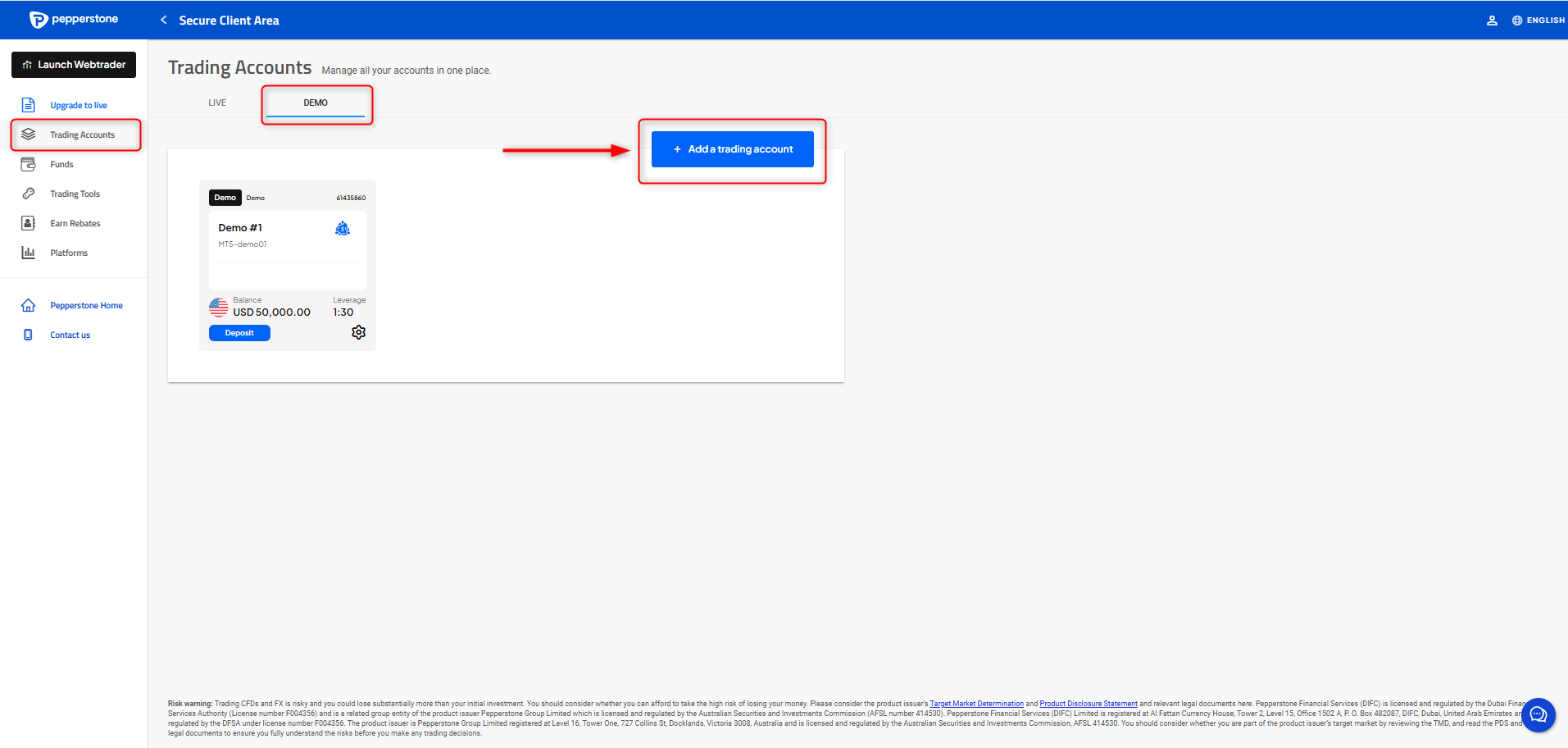
Simply Log in to your Secure Client Area select the “demo” tab in the Account section and click on “+ Add a trading account”
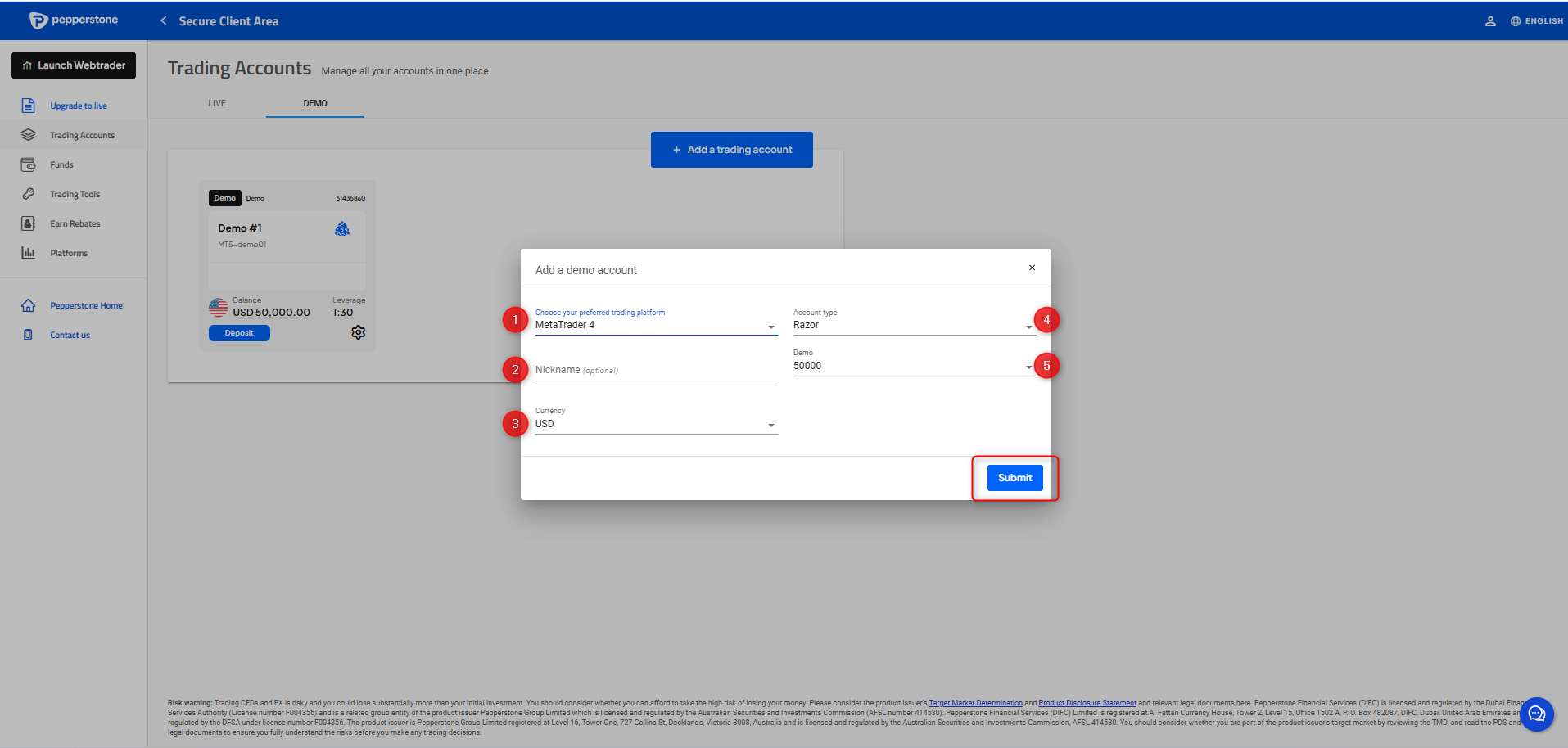
A small window will pop up with all the information you will need to choose for your demo trading account. Make sure to choose the desired trading platform, currency, type nickname & balance and click “submit”
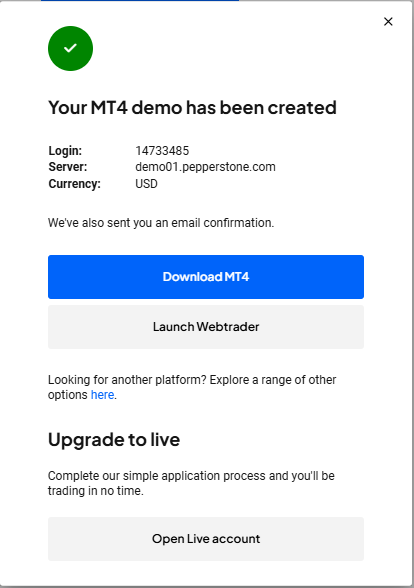
After you click submit, an email with your credentials will be sent to you!
A small window will pop up with all the information you will need to choose for your demo trading account. Make sure to choose the desired trading platform, currency, type nickname & balance and click “submit”
After you click submit, an email with your credentials will be sent to you!